


Resource allocation tool for consulting companies that integrates with Pipedrive
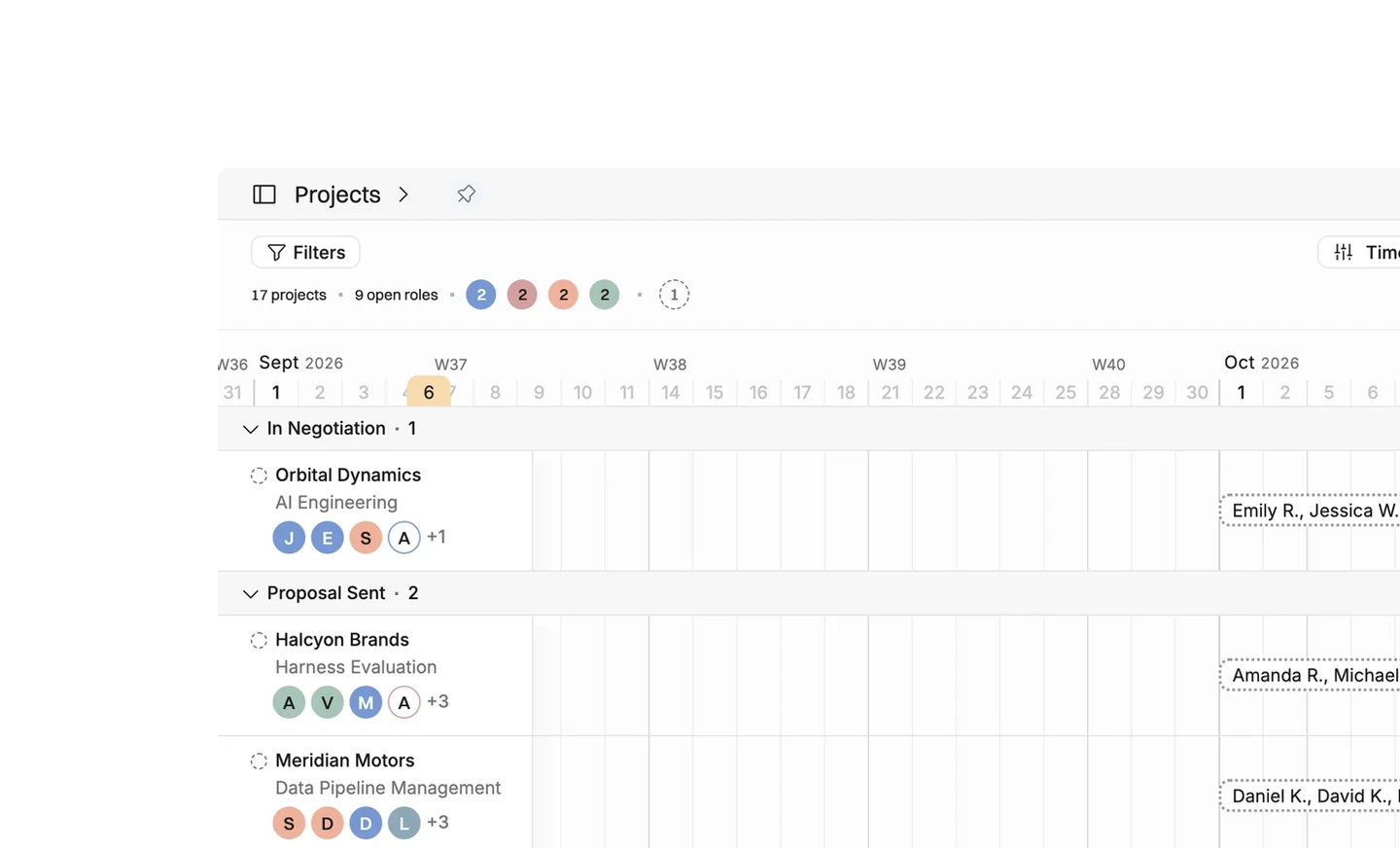
Connect Pipedrive and each deal in the stages you choose becomes a tentative project in Operating, with the organization, the amount and the probability on it. The pipeline then reads as a demand plan on a timeline, so you can see which month needs more senior people than you have. After the first import, Operating changes a project only where you ask it to.
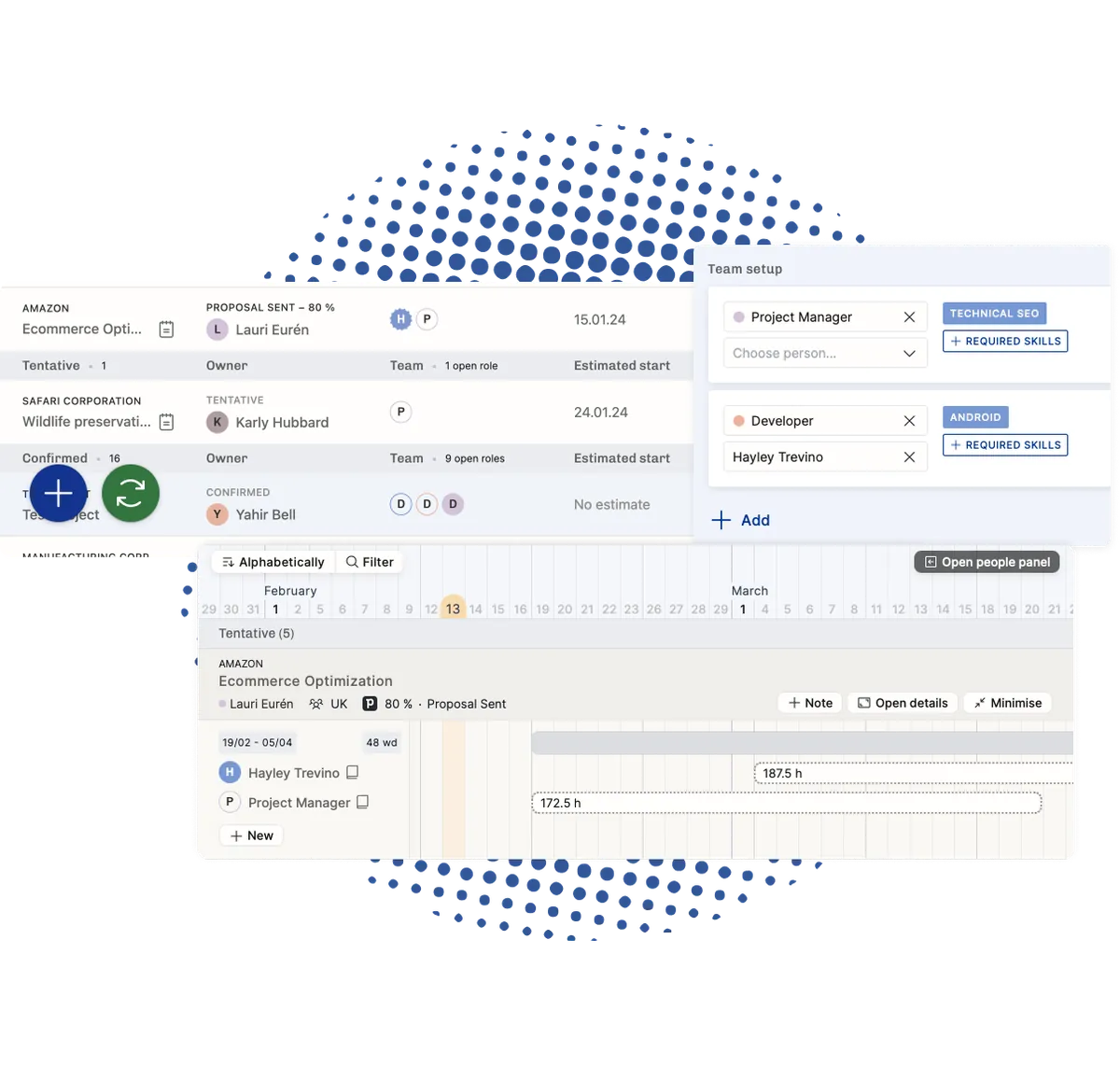
See which month the pipeline needs more people
Three deals sit in Proposal Made, all starting in November, all needing a senior data engineer. In a deal list that clash is invisible. On the Operating timeline the three tentative projects stack up on one person in the same three weeks. That is early enough to hire, subcontract or move a date.
- See confirmed and tentative work for every person on one timeline
- Find the month where the pipeline needs more people than you have
- Hold a role open with a placeholder until you know who will take it
- Read revenue and cost by month from work nobody has won yet
Won and Lost, which Pipedrive does not give you as stages
Pipedrive keeps won and lost as a flag on the deal, not as stages in the pipeline. Neither shows up in an ordinary stage list. Operating adds both and treats them like any other stage. Choose Won and a project appears the day the deal is signed. Choose something earlier and it appears while you are still selling.
- Pick the stages that create a project, including the Won and Lost stages Operating adds
- Deals become tentative projects, organizations become clients, deal owners become project owners
- Deal name, owner, description, organization, amount, probability and expected close date map on their own
- Deals and organizations arrive on webhooks, so a stage change lands within seconds
After the first import, nothing changes unless you say so
A salesperson renames a deal and drops the amount, and four people are already booked on the project that deal created. Operating leaves the project alone. Updates to projects, clients and budgets are all off when you start. You switch them on one type at a time, once you know which of them you want.
- Enable project updates, client updates and budget updates separately
- Leave budget updates off where delivery owns the number after the sale
- The Pipedrive reference on a project is read only and always points back to the deal






What moves from Pipedrive into Operating
Checked against the product on 2026-09-27.
Deals in the chosen stages
Real time, on a webhook
Won and Lost stages
Added by Operating; selectable like any stage
Organizations
When a deal for them is imported
Deal owners
With the deal; a person is created if missing
Project, client and budget updates
Switch on per type when you want it
Your Pipedrive pipeline
Stays exactly as the sales team left it
Questions about the Pipedrive integration
Can a deal marked Won in Pipedrive create a project automatically?
Yes. Pipedrive stores won and lost as a flag rather than as pipeline stages, so Operating adds a Won stage and a Lost stage of its own. You select them the same way you select any other stage that creates a project.
Does Pipedrive keep updating a project after it has been imported?
Only if you ask it to. Project updates, client updates and budget updates are each a switch you turn on separately under the integration's other settings.
Which Pipedrive objects become records in Operating?
Deals become projects in tentative status, organizations become clients, and deal owners become project owners. If a deal owner has no Operating account, one is created for them.
Which Pipedrive deal fields map to a project without any setup?
Deal name, owner, description, organization, amount, probability and expected close date. Project dates, site, billing type, groups and tags can be mapped to fields you choose while setting the integration up.
How quickly does a Pipedrive deal reach Operating after it changes stage?
Within seconds. Deals and organizations come across on real-time webhooks rather than on a scheduled import, so a stage change made during a sales meeting is visible to the delivery team before it ends.
What permission is needed to connect Pipedrive to Operating?
The user setting it up needs the manage integrations permission in Operating, plus enough access in Pipedrive to authorize the connection and see the pipelines you want to import from.
See how to staff the right consultants to projects efficiently with Operating integrated with Pipedrive
Matching the right skill sets to a project has never been this simple. Simply plug in your Pipedrive CRM to Operating, and start staffing projects faster than ever before.
Book a setup call
Go deeper



Get the Operating Routine for resource planning
A weekly routine for staffing and capacity, written by people who ran it in their own firms. It gives your resource planning meeting a fixed agenda and a short list of numbers to check. Get the guide.
Thank you!
Get the Staffing Routine by clicking below.
Download guide