

AI-Native PSA for Technical Consulting Firms


4.7/5
Run the business behind complex client work
Resourcing, time tracking, project financials and invoicing in one system, so you can see how the firm runs.













Trusted by ambitious
high-growth technical teams
Place the right people on the right projects
See consultant availability and clear the bench
Connect your CRM to match consultants to upcoming projects
Give your staffing team one place for all staffing requests

"Staffing cross-border projects is much easier now. Operating helps us find the right person for the right need — no matter where they're located."
Simon Fransson
General Manager, Columbia Road Sweden






Schedule work and plan budgets
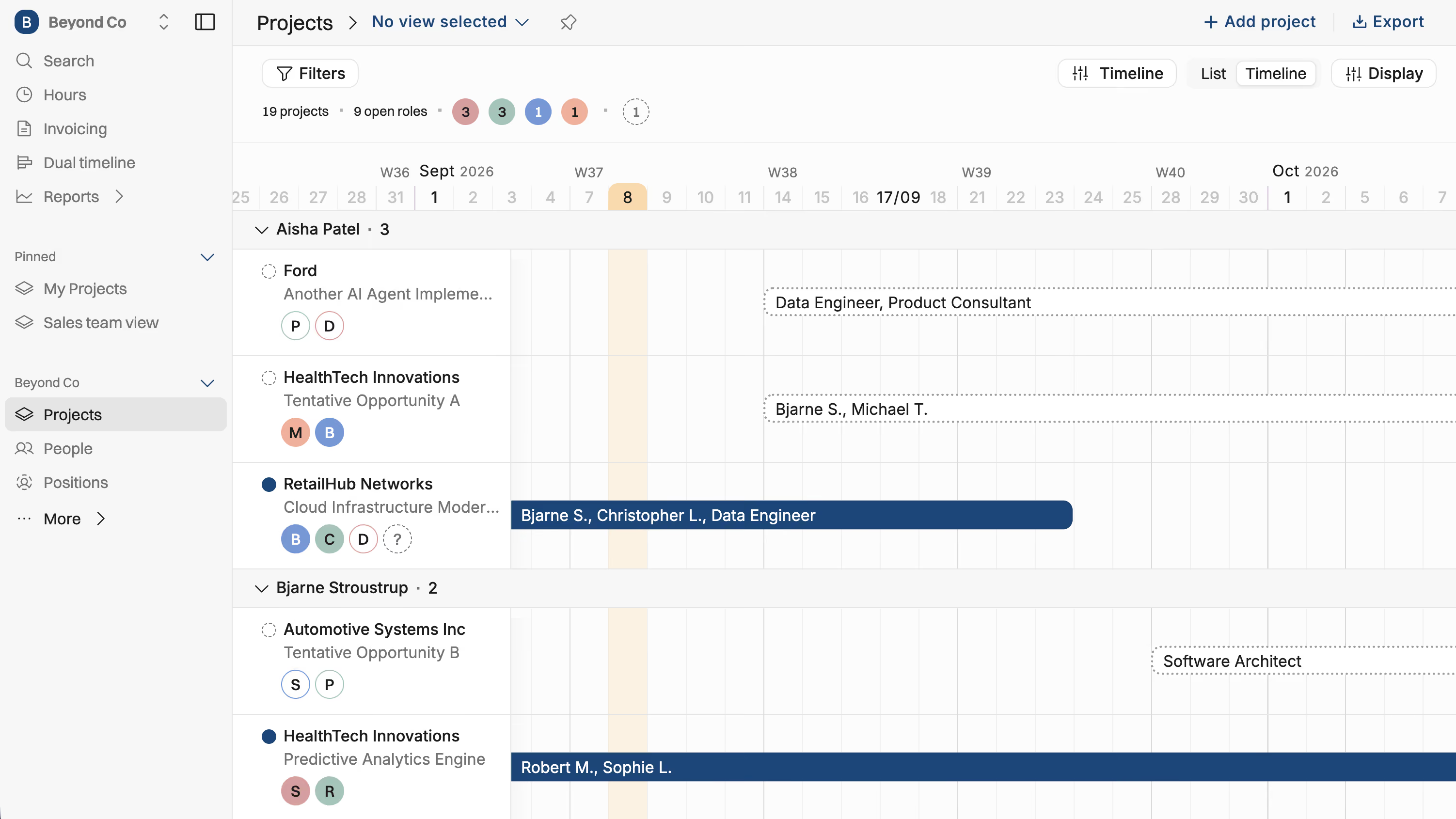
See people, projects, and budgets on a single timeline
Schedule work with hourly rates and project budgets
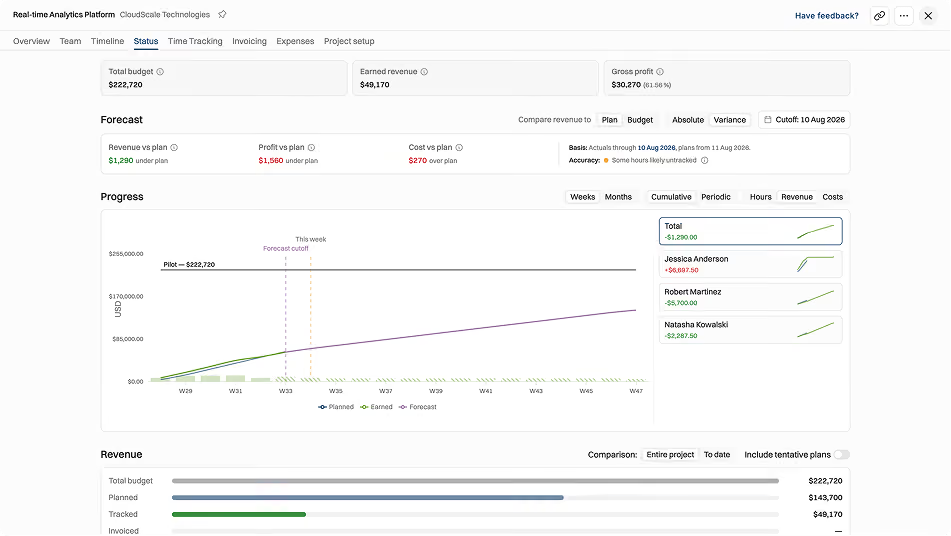
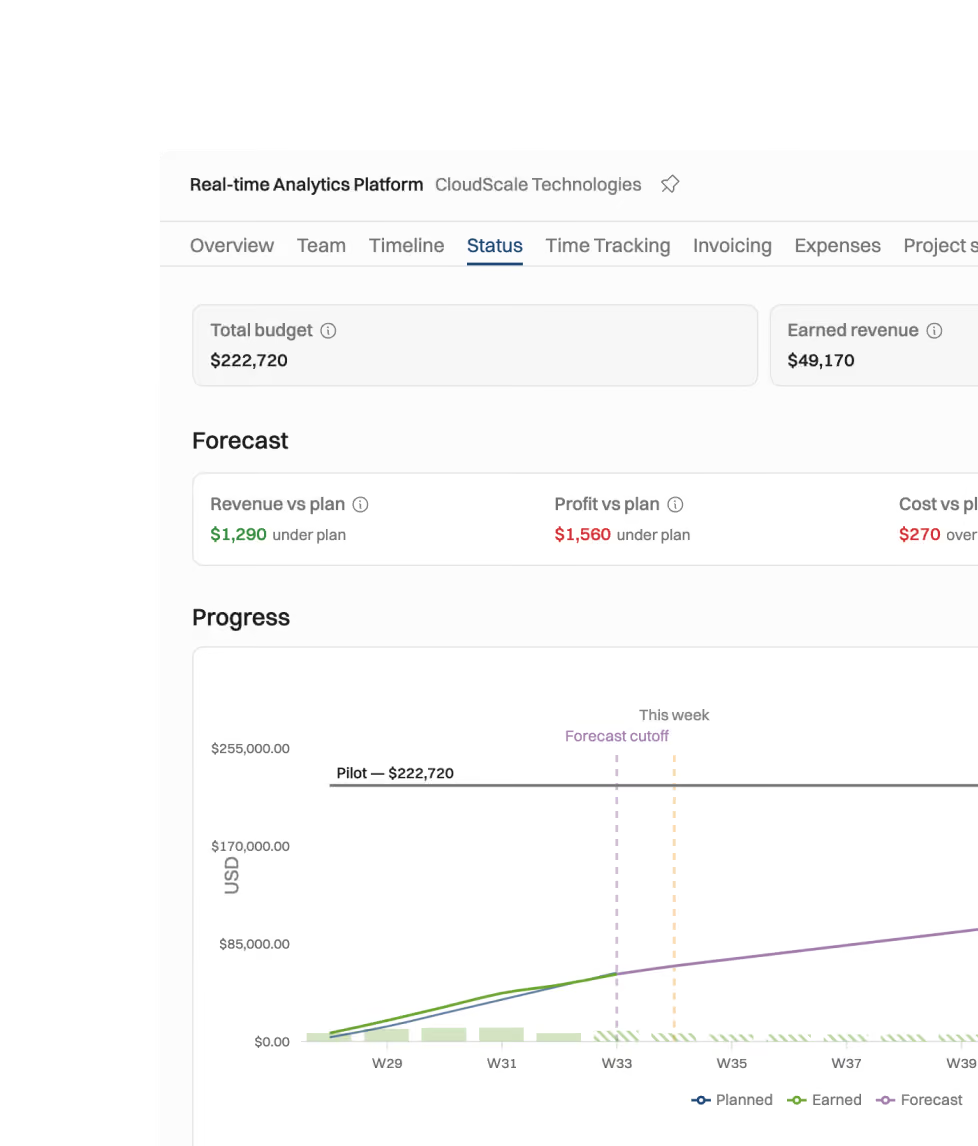
Forecast revenue, costs, and margins per project
Track time and compare planned vs. actual
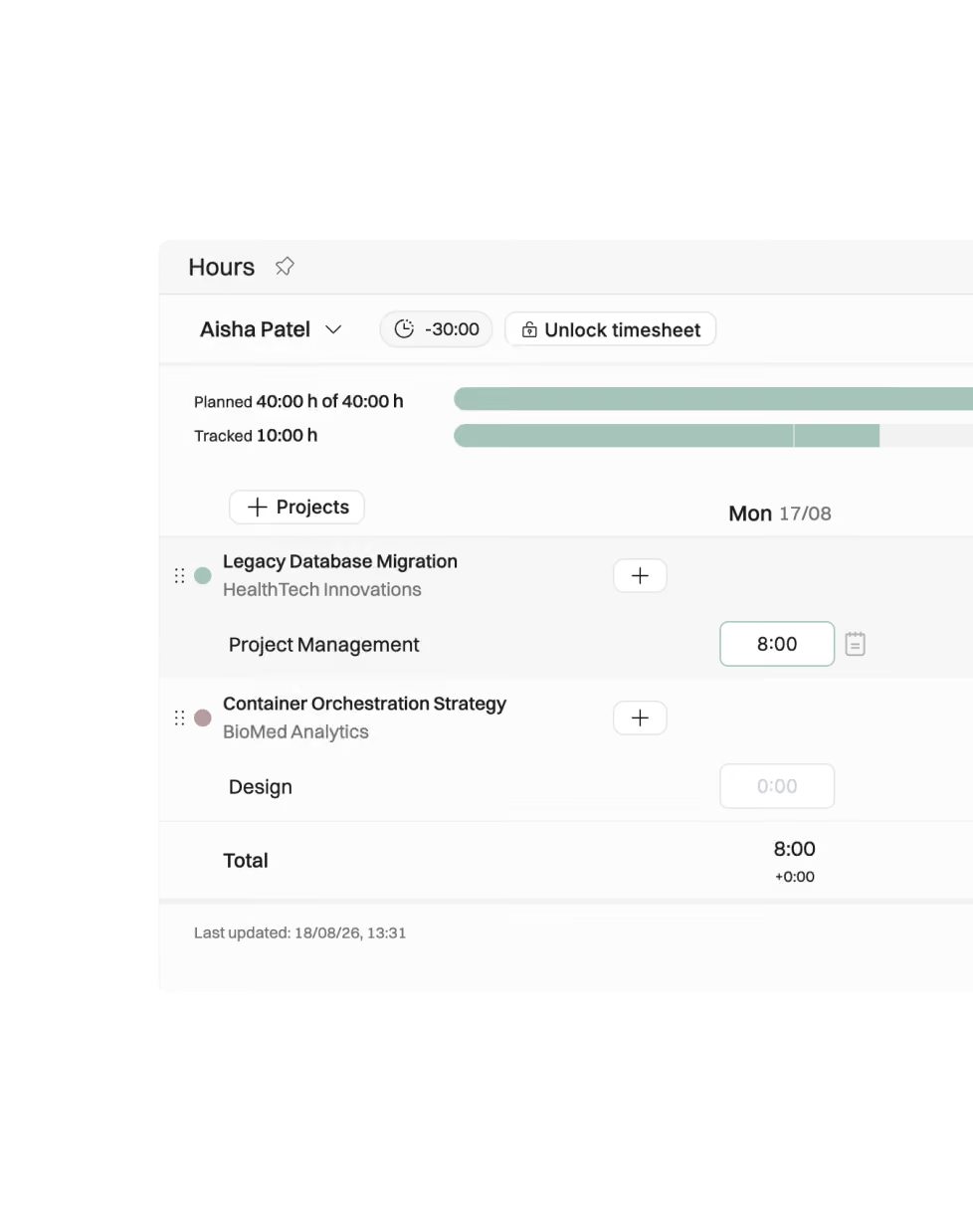
Planned hours visible on timesheets for faster entry
Track time with a timer, or directly with an AI assistant like Claude
Analyse deviations between planned and actual hours
Approve, recognize revenue, and invoice
Run approvals and review in Operating instead of month-end spreadsheets
Revenue recognition directly from project data: multiple methods available
Recurring and custom invoicing schedules, so nothing goes unbilled

"We absorbed $250,000 in unbilled work last year. This year, it's down to $25,000."
James Shaw
COO, Inventive.io

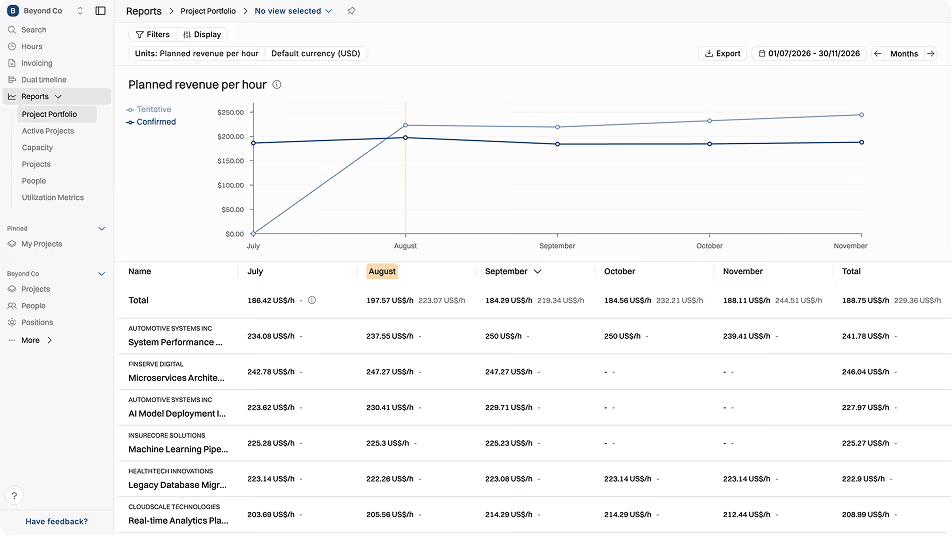
Forecast revenue, margins and utilization
Forecast utilization to time sales and hiring moves
Predict revenue and project margins ahead of time
Burn-up charts that forecast from the plan and the timesheets

Different firms,
the same operating attitude.





For enterprise consulting firms


"Built by people who have lived our world."


For finance & staffing teams

"It replaced the spreadsheets we were afraid to let go of."


Client work is complex. Your ops shouldn’t be.
Sales and delivery on the same map
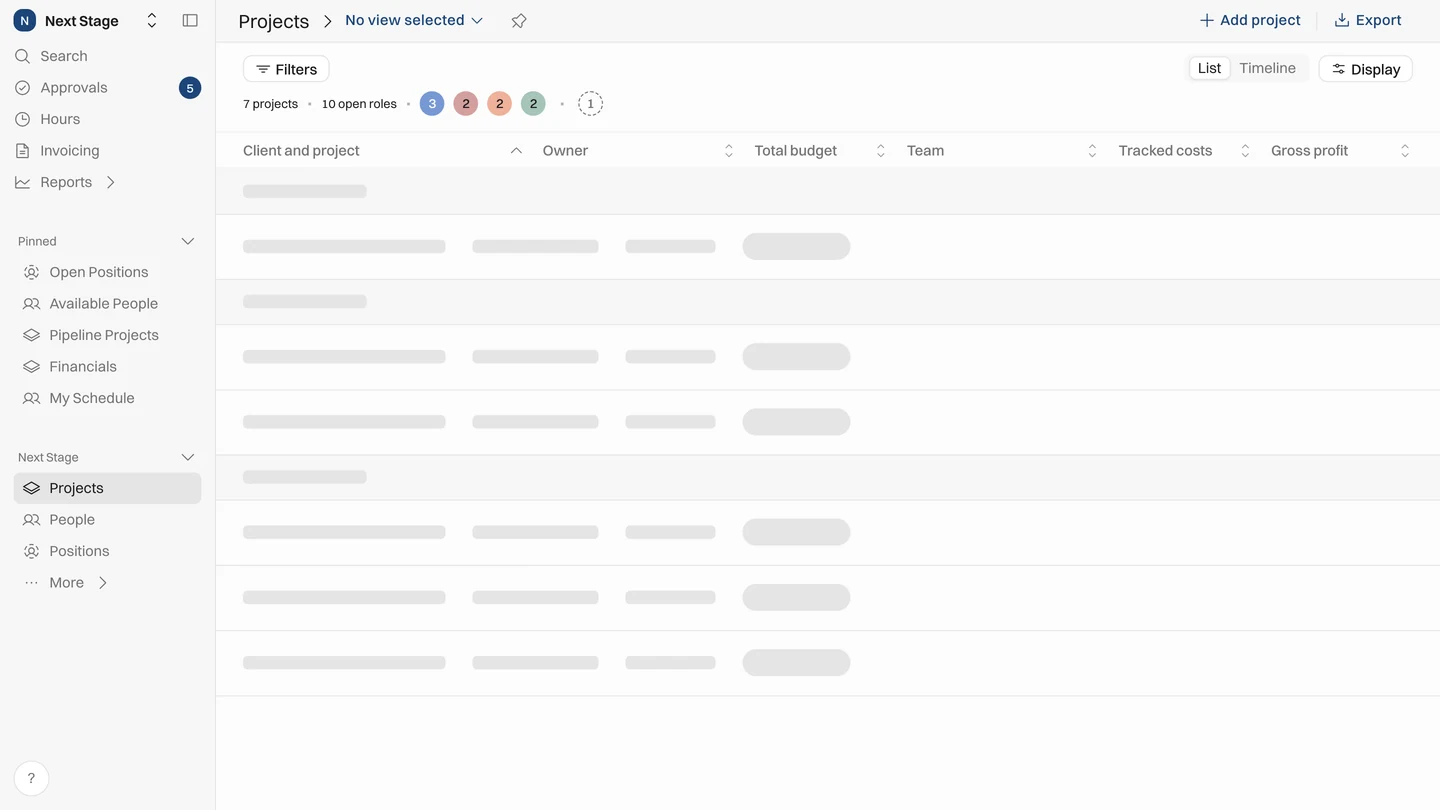
Sales sees who's available, delivery sees what's sold. Nothing falls between the cracks.
Resource Management
A data model built for consulting
Billing types, rate cards, seniority levels, revenue recognition – the structure generic tools miss. Built by ex-consultants.
Product Overview
Every week, one shared picture
Time, margin and timelines in one place, with live numbers, so nobody has to chase updates.
Reporting & Forecasting
Month-end close without the spreadsheets
Invoicing syncs with accounting. Revenue recognized straight from project data.
Invoicing
Connects to your stack, and your agents
Create projects from CRM deals. See planned revenue through to invoiced dollars. And through our MCP server, your AI agents read and act on the same data.
Integrations
One platform for people, projects, time, and money


What firms that run on Operating say

"Operating played a key role in improving our profitability and utilization. By optimizing processes and tracking, we achieved 40% growth."

Anna Lehto

"Last year, pre-Operating, we absorbed $250,000 in unbilled work due to inefficiencies. This year, it's down to $25,000."

James Shaw

"We plan our tentative projects, forecast our revenue, and analyze any deviations in actual hours spent with Operating. There's no going back to the old ways."

Timo Hyväoja

"We're about 150 people, in different locations and countries. We can keep things efficient and people-focused with a common view of our sales pipeline, allocations, and our team's skills and interests."

Ville Loppinen

"I used to spend 3 hours per week updating data from CRM to resource allocation sheets. It only takes me 15-20 minutes with Operating."

Alisha David

"Fewer Excel sheets, a reliable future outlook—what's not to like! Centralizing our capacity planning and skill matrix Excels into Operating has made running the business easier."

John Kavaleff

"We used to jump between HubSpot and Harvest all the time, but with Operating, it's all just there, working together."

Shawn St Mart

"We switched to Operating to spend less time juggling tools and more time on client work. The reports, plus HubSpot and HiBob integrations, make that easy."

Petya Raykovska

"Operating is great—it's a new approach compared to our homegrown spreadsheet setup, but we're quickly getting smarter and gaining clarity, especially for staffing new projects."

Brittany Meeks

"We replaced our complex finance projection spreadsheet, and now our HiBob leaves are visible in Operating, keeping our calculations up-to-date."

Jacqueline Enoch
"Centralizing our capacity planning and skill matrix Excels into Operating has made running the business easier."

John Kavaleff

"Operating is the glue between Harvest time tracking, HubSpot, and our reporting. Both the native integrations, and the APIs are great!"

James Shaw

"We connected Operating to NetSuite ERP via APIs and integrated HiBob using the ready-made integration, replacing our homegrown, disconnected systems."

Perttu Paarma

"Operating replaced a ton of spreadsheets that used to link our CRM and time tracking systems."

Ville Loppinen

"Operating replaced a bunch of custom built reports and eliminated the hassle of connecting pipeline, allocations and time tracking."

Adam Grønbeck Andersen

"Operating integrates with HubSpot and Harvest, automatically importing data to plan optimal project teams and workloads."

Alisha David

"We integrated MS Dynamics CRM to Operating via the API, and use the ready-made Harvest integration. We also visualize our data in PowerBI."

Timo Hyväoja

"It's great to have one place to plan all the projects and teams."

John Kavaleff
Learn how customers
run on Operating

Running a transparent, efficient consulting operation with a human touch
Running a transparent, efficient consulting operation with a human touch
Read the story
.avif)


More Customer Stories

What makes Operating different?
You've scrolled this far: you're probably comparing many different apps. Read about our approach.
The Operating difference
Frequently Asked Questions
What is Operating?
Is Operating a fit for my company?
Who uses the app day-to-day?
Why should your firm start using Operating?
Operating combines the entire professional services workflow in one platform. This gives firms planning data, spent hours, and invoiced hours in a single place, reducing the need to switch between multiple tools.
Is Operating an AI-powered PSA platform?
What value does Operating provide?
Customers report improved utilization, higher billed hours, less admin time, and reduced back-office costs. Consolidating tools into one also helps save on software license costs. For many, the main benefit is having one shared big picture into how their business is doing right now.