


A resource planning tool for consulting firms that integrates with HubSpot
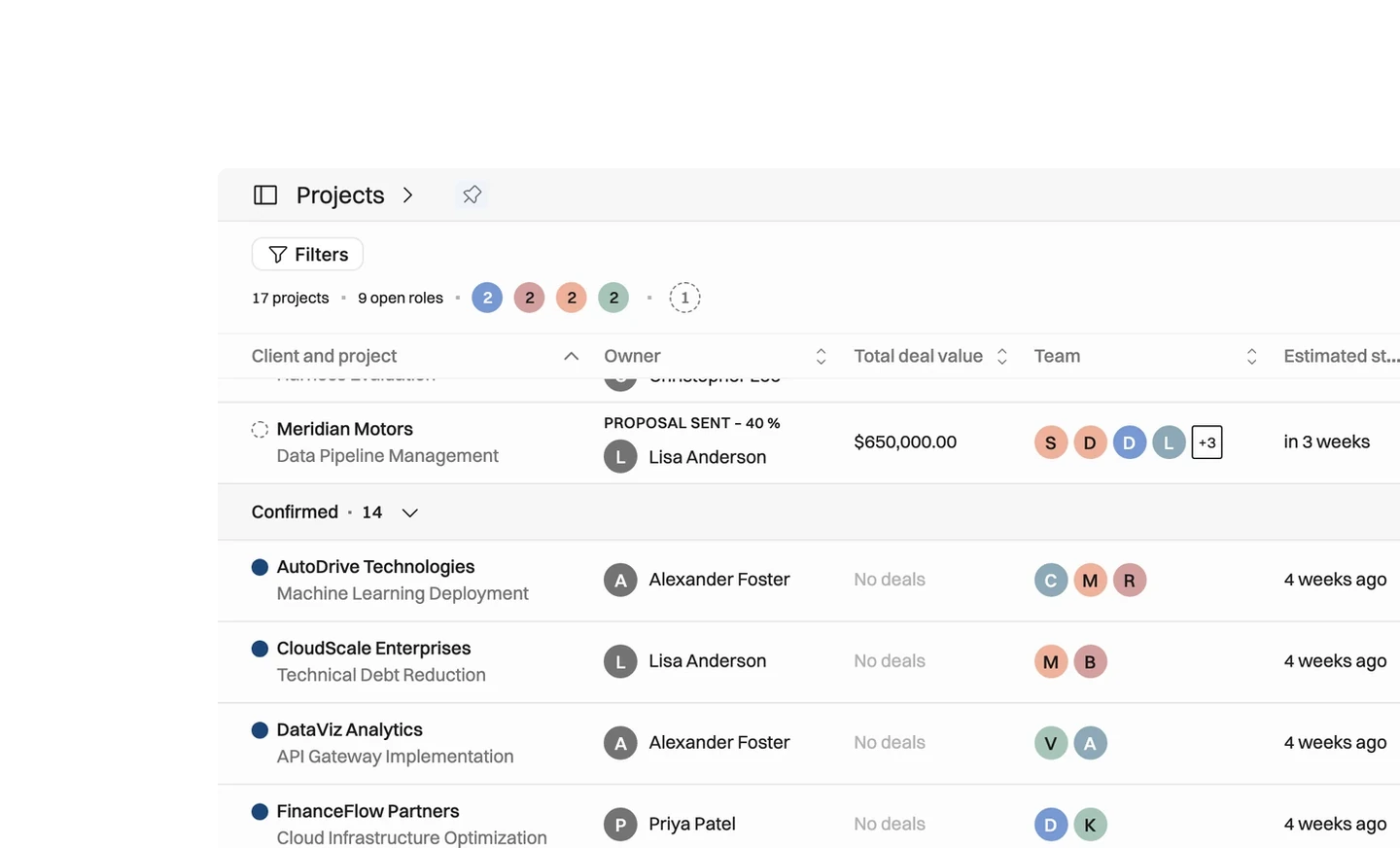
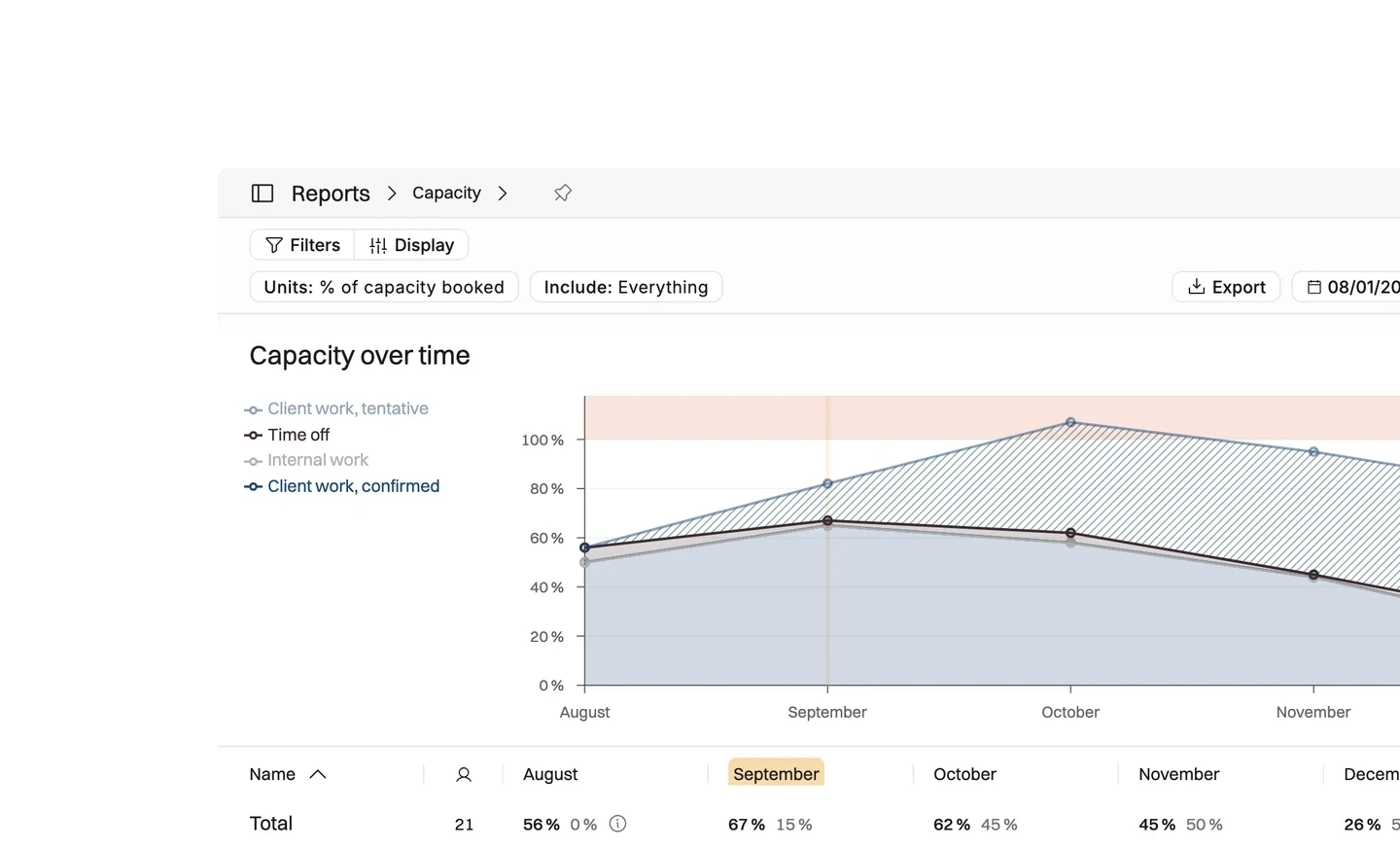
Connect HubSpot and every deal in the stages you choose arrives in Operating as a tentative project, with the amount, the owner and the close date already on it. You staff it while it is still a maybe, and the capacity and margin numbers move as the deal does. Operating is listed in the HubSpot marketplace.

A deal becomes a project the day it changes stage
A deal reaches Decision maker bought-in on Monday morning, and the project is in Operating before the salesperson has closed the tab. It arrives with the amount, the owner, the close date and the description already on it. The delivery lead staffs it that afternoon without asking anybody what the deal is about.
- Staff a deal the day it changes stage, not the week the contract lands
- Work from the amount, owner and close date the sales team already typed
- Give a client an honest start date, because you can see who is free
- Let the forecast count each deal in proportion to its HubSpot probability
Seven deal fields map before you configure anything
The import runs one way, on webhooks, so an edit in HubSpot reaches Operating within seconds. Deal name, owner, description, company, amount, probability and close date need no setup at all. The deal amount becomes the project budget, in the currency the deal was sold in.
- Pick the pipelines you import from, and the stages that create a project
- Map project dates, site, billing type, groups and tags to fields of your own
- Companies become clients, and a deal owner with no Operating account gets one
- Nothing is written back, so the HubSpot pipeline stays as the sales team left it
Duplicate clients are expected, and safe to merge
The import does not guess which HubSpot company is which Operating client. A wrong match costs more to undo than a duplicate does, so it creates a new client and leaves the judgment to you. Merging the two afterwards keeps the projects, the people and the history from both.
- Merge an imported client into the one you already had, inside Operating
- Carry a company tag across by linking it to a custom field in Operating
- Install it from the HubSpot marketplace, which needs rights to add apps there






What moves from HubSpot into Operating
Checked against the product on 2026-09-27.
Deals in the chosen stages
Real time, on a webhook
Deal name, description, amount, probability, close date
Real time, on a webhook
Companies
When a deal for them is imported
Deal owners
With the deal; a person is created if missing
Project dates, site, billing type, groups, tags
If you map them during setup
Your HubSpot pipeline
Stays exactly as the sales team left it
Questions about the HubSpot integration
Does the Operating and HubSpot integration sync in both directions?
No. It runs one way, from HubSpot into Operating, on real-time webhooks. Nothing you change in Operating is written back to HubSpot, so the sales pipeline stays exactly as the sales team left it.
Which HubSpot deal fields become project fields in Operating?
Deal name, owner, description, company, amount, probability and close date are mapped automatically. Project dates, site, billing type, groups and tags can be mapped to fields you pick during setup. The deal amount becomes the project budget, in the deal's own currency.
Can you choose which HubSpot deals create a project?
Yes. You select the pipelines to import from, then the stages that create a project, and at least one stage has to be chosen. Before the first run you preview the deals that match and can filter them further.
Why does importing from HubSpot create duplicate clients?
Because the import never guesses that a HubSpot company is a client you already have. It creates a new client instead, which is safe to merge with the existing one afterwards. Merging keeps the projects and history from both.
What status does a project created from a HubSpot deal start in?
Tentative. You can staff it, budget it and forecast from it straight away, and the forecast counts it in proportion to the deal probability. Confirming the project is a separate step you take when the work is won.
What permissions are needed to connect HubSpot to Operating?
In HubSpot, an account that may install apps from the marketplace. In Operating, a user with the permission to manage integrations and data import.
9x More Efficient Resource Allocation With Operating And HubSpot
See how Supreme Optimization saves hours weekly in resource allocation by integrating Operating with HubSpot CRM.
Book a setup call
Go deeper



Get the Operating Routine for resource planning
A weekly routine for staffing and capacity, written by people who ran it in their own firms. It gives your resource planning meeting a fixed agenda and a short list of numbers to check. Get the guide.
Thank you!
Get the Staffing Routine by clicking below.
Download guide